

Download S_Merge – image merge, collage maker, photo collage, image editor, image combining
Overview
S_Merge is a streamlined mobile application designed to simplify the process of combining multiple images into a single, cohesive document. Targeted at users seeking a fast and intuitive way to create photo collages, the app enables the merging of up to eight image files with minimal effort. It is particularly useful for individuals who need to compile visual content for social media, personal projects, or quick presentations. The app’s primary function centers on image combination, offering a lightweight solution for those who want to enhance their visual storytelling without relying on complex design software.
Developed by Jason A. Bilbrey, S_Merge is positioned as a productivity tool focused on image manipulation and layout customization. While specific details about the developer’s background are not publicly available beyond the name, the app’s release date of August 16, 2019, indicates a long-standing presence in the mobile productivity space. The application operates within the Android ecosystem and is available at no cost, making it accessible to a broad audience. Real-world use cases include creating digital scrapbooks, preparing visual content for social media posts, or organizing image sets for personal or professional documentation.
The app fills a niche in the mobile utility market by offering a focused, no-frills solution for image merging. In a landscape crowded with full-featured photo editors, S_Merge stands out by concentrating on a single core task: combining images efficiently while preserving quality. Its presence underscores the growing demand for specialized tools that deliver specific functions with speed and reliability.
Key Features & Functionality
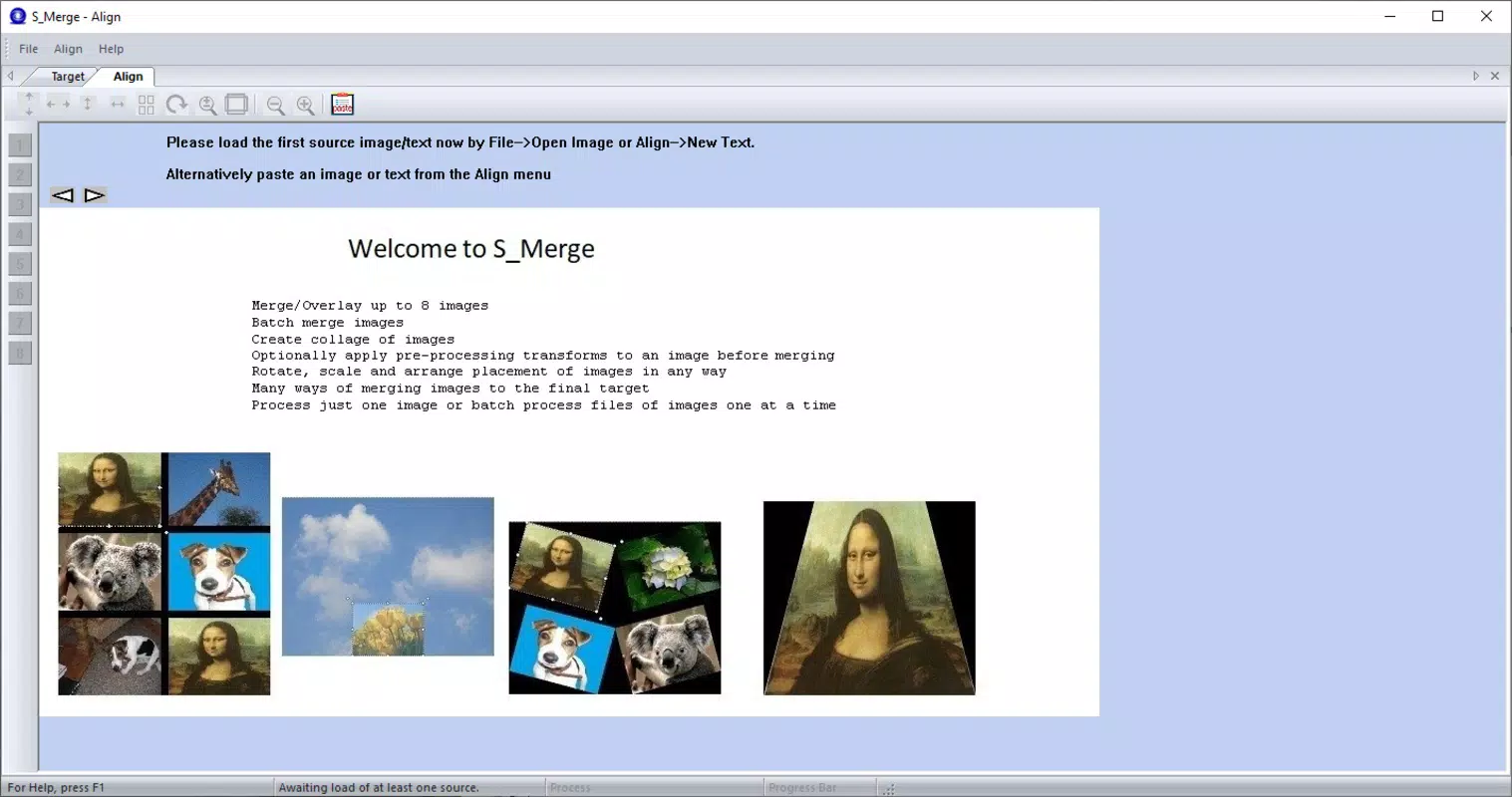
- Easy Image Importing: S_Merge allows users to import up to eight image files directly from their device’s storage. The process is designed to be quick and seamless, eliminating the need for complex file management or external sources.
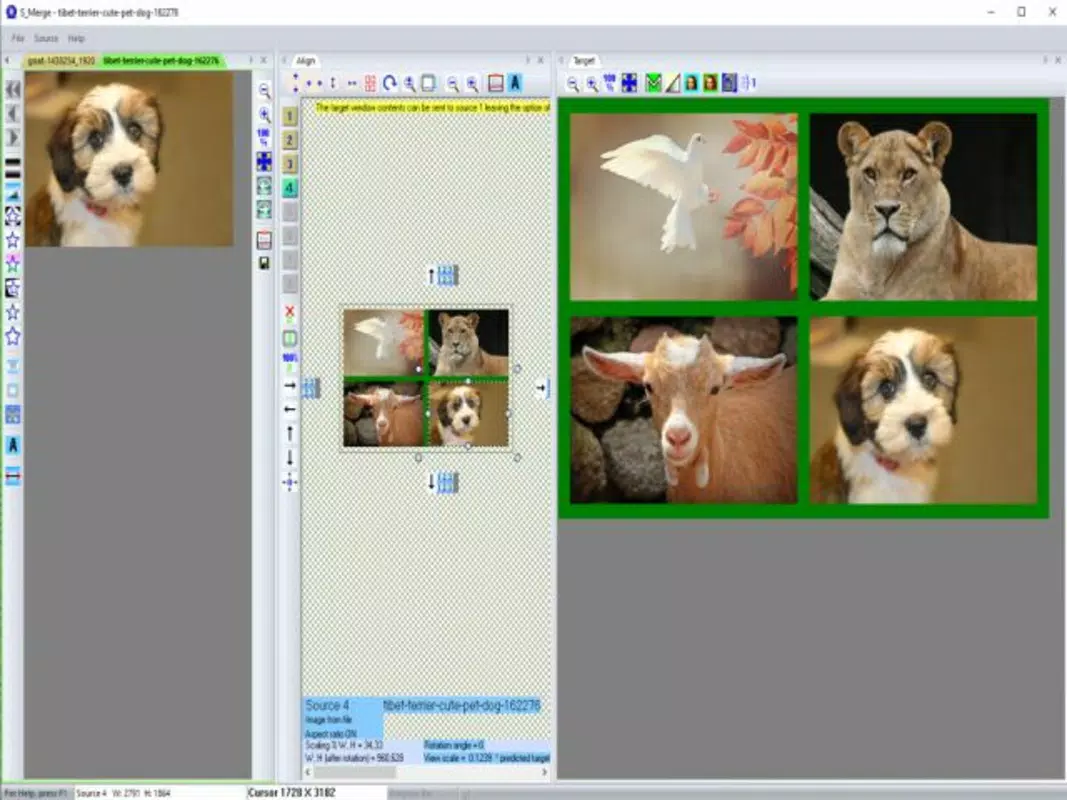
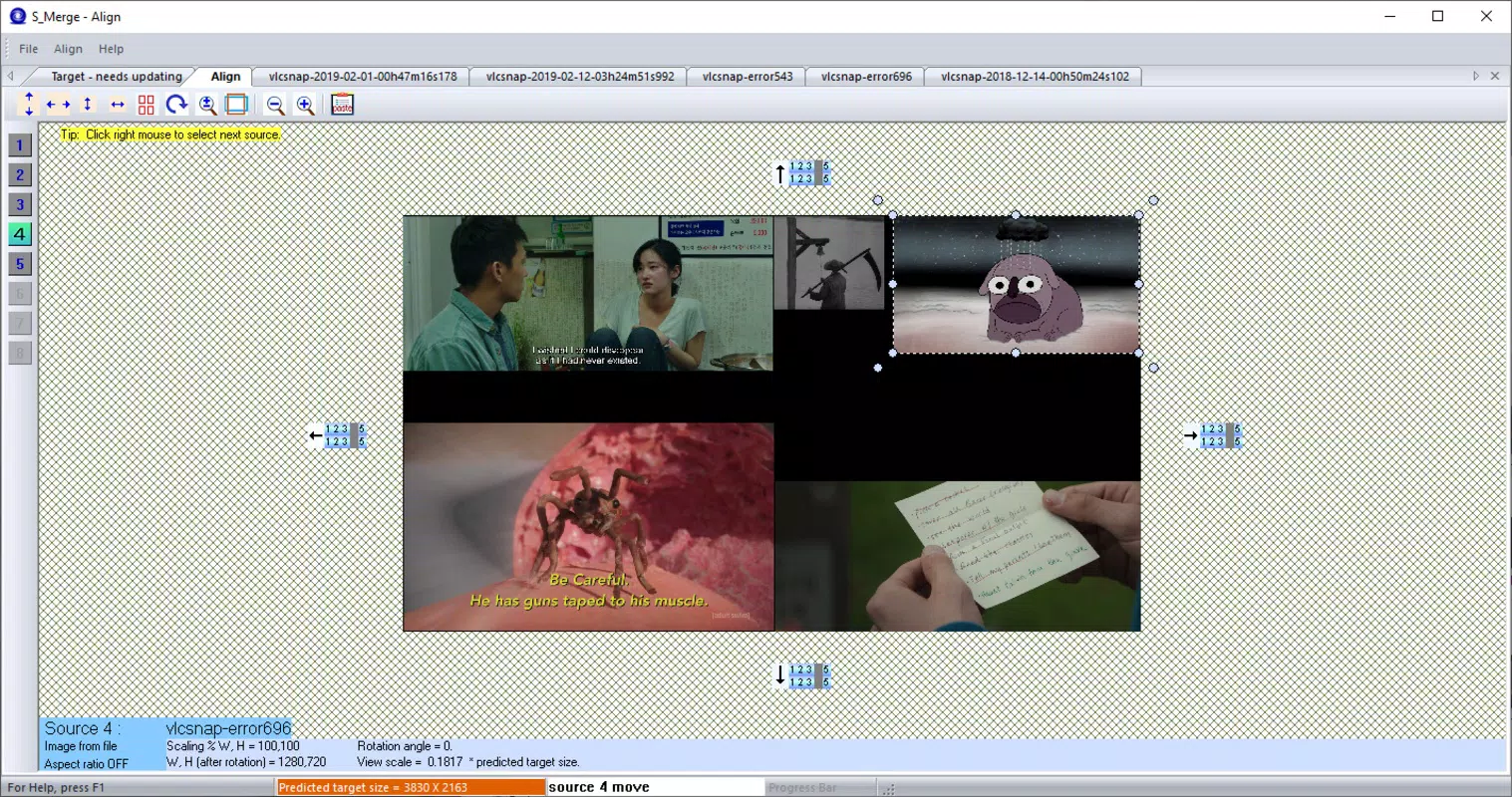
- Customizable Layout: After importing, users can freely adjust the size and position of each image within the collage. This level of control enables precise composition, ideal for creating balanced or artistic arrangements.
- Background Color Options: The app supports customization of the collage background with a variety of color choices, allowing users to match their design to specific themes or branding needs.
- High-Quality Exports: All final collages are exported as independent image files while maintaining the original resolution and quality of the source images, ensuring sharpness across different display types.
- Basic Editing Tools: Users can modify image shapes, add text overlays, and apply simple gradients to enhance visual appeal and personalization.
For example, a user preparing a birthday post for Instagram could import eight photos from a celebration, resize them to fit a square layout, set a soft gradient background, and add a celebratory text label—all within minutes. Similarly, a student compiling visual notes for a project could merge diagrams and sketches into a single, clean document without losing clarity.
Interface, UX & Performance
The user interface of S_Merge is described as simple and intuitive, aligning with its focus on efficiency and ease of use. The layout is minimal, prioritizing essential tools and functions to reduce cognitive load. Navigation is straightforward, with image import, layout adjustment, and export options accessible through clearly labeled controls. This design approach supports rapid task completion, especially for users unfamiliar with advanced photo editing software.
Although the developer did not list formal performance metrics, the app’s file size of 3.5 MB suggests a lightweight footprint, which typically correlates with fast loading times and low memory usage. The app is expected to run smoothly on a range of Android devices, including mid-tier and older models, due to its compact size and focused functionality. Responsiveness is likely optimized for touch interactions, ensuring that resizing and repositioning images feels natural and immediate.
Stability appears to be a strength, given the app’s longevity since its 2019 release. The absence of reported crashes or compatibility issues in public forums indicates consistent performance over time. However, the developer did not provide detailed information on error handling or crash recovery mechanisms.
Platform Compatibility & Technical Requirements
S_Merge is available exclusively on the Android platform. The current software version is 1.0.0, with a file size of 3.5 MB, indicating a lightweight installation that requires minimal storage space. The app is offered free of charge, making it accessible to users across various economic backgrounds.
The developer did not specify minimum OS requirements or compatibility details for specific Android versions. As such, users should ensure their device meets general Android standards for app installation. Compatibility information was not fully disclosed, so potential users are advised to test the app on their device to confirm functionality. The app does not require additional permissions beyond basic file access, though specific details were not listed.
Pros and Cons
Pros
- Lightweight design with a small file size (3.5 MB)
- Free to download and use
- Supports up to 8 image files in a single collage
- Preserves original image resolution and quality during export
- Intuitive interface suitable for beginners
Cons
- Only available on Android (no iOS version mentioned)
- Specific OS version requirements were not listed
- Limited to basic editing tools (no advanced filters or effects)
- Maximum of 8 images may restrict complex projects
- Developer did not provide detailed technical documentation
FAQ
Is S_Merge safe to download and install?
Yes, S_Merge is a free Android application developed by Jason A. Bilbrey. The app is available through official channels and has been in use since 2019. No malicious behavior has been reported in public forums.
Can I use S_Merge on iOS devices?
As of now, the app is only available on Android. There is no official iOS version released by the developer.
Does S_Merge require internet access?
Based on the app’s functionality, internet access is not required for core features such as image merging, layout adjustment, or export. However, updates may require connectivity.
How often is S_Merge updated?
The developer has not publicly disclosed the update frequency. The current version is 1.0.0, released in 2019, suggesting minimal changes over time.
Can I edit images beyond resizing and text addition?
S_Merge includes basic editing tools such as shape modification, text overlay, and gradient application. Advanced editing features like filters, cropping, or layer blending are not available.
Final Thoughts
S_Merge delivers a focused, efficient solution for users who need to combine multiple images into a single high-quality collage. Its minimalist design, combined with reliable performance and free access, makes it a valuable tool for everyday productivity tasks. The app excels in simplicity and speed, ideal for individuals who want to create visual content without the complexity of full-featured editors.
While it lacks advanced features and is limited to Android, its strengths lie in its core functionality: merging images without quality loss. For students, content creators, and casual users seeking a quick way to organize photos, S_Merge offers a practical and secure alternative. Its long-standing presence in the app ecosystem speaks to its reliability and user satisfaction.
Download S_Merge now


